BetRupees Withdrawal Rejected After Changing Payment Details?
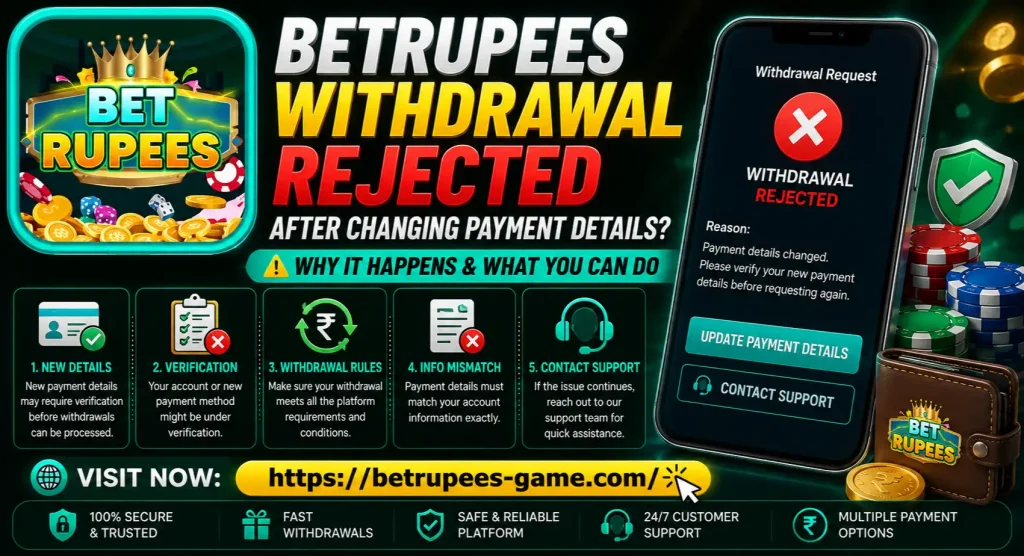
Changing a JazzCash, Easypaisa or bank detail shortly before withdrawing can make a BetRupees request fail. The new number may not be fully saved, the receiving account may not match the player profile, or the platform may place recent payment changes under review.
Do not keep submitting the same withdrawal. First open the rejected transaction and record its reason, request ID and destination details. A rejected request normally means the payout was not completed, but you should still confirm that the amount has returned to the withdrawable balance before trying again.
This issue is different from a request that remains under review. If the status says pending or processing, use the existing BetRupees withdrawal pending guide instead of changing payment details again.
Quick Checks After a Withdrawal Is Rejected
Check these items in order:
| Check | What to confirm |
| Rejection reason | Read the exact message in withdrawal history |
| Payment method | Confirm JazzCash, Easypaisa or the intended option was selected |
| New number | Compare every visible digit with the receiving wallet |
| Saved status | Check whether the new method is verified, pending or unconfirmed |
| Account name | Compare the player and wallet-holder details where required |
| Old request | Make sure no earlier withdrawal is still pending |
| Withdrawable balance | Confirm the rejected amount has returned |
| Account changes | Note recent password, SIM, device or profile updates |
| Bonus conditions | Check whether locked promotional funds were included |
Do not assume the payment change is definitely responsible. A withdrawal submitted after an edit can still be rejected for an unrelated reason such as an amount outside the displayed limit, unfinished bonus conditions or insufficient withdrawable balance.
Why Payment Changes Can Trigger a Rejection
Payment details control where money leaves the account. A sudden change can look different from the user’s normal transaction pattern, especially when it is followed immediately by a withdrawal request.
The platform may need to confirm that:
- The account owner made the change
- The receiving wallet belongs to the correct person
- The mobile number was entered accurately
- The payment method is active
- No unauthorized person accessed the account
- An older withdrawal is not tied to the previous method
The exact security process cannot be confirmed from public information and may differ by account or app version. Follow the message displayed inside your own account.
The New Payment Method May Not Be Fully Saved
Tapping Save does not always mean that the new wallet has been activated for withdrawal. The method may still show as pending, under review or unverified.
Return to the payment or withdrawal-method section and check whether the new number appears. If the old number is still visible, avoid switching it back and forth repeatedly. Save screenshots of both the profile and rejected transaction, then ask support which method is currently attached.
Possible causes include:
- The app closed before the update finished
- An OTP or confirmation step was not completed
- The connection dropped while saving
- The new number was added but not selected as the active method
- Cached account data still shows the old wallet
- The update requires an additional ownership check
Refresh the profile once or reopen the app. Do not clear app data until you have saved your login and transaction details.
Check for a Typing or Number-Format Error
A single wrong digit can make a payment method invalid or point to another account. Compare the number shown in BetRupees with the registered number inside the JazzCash or Easypaisa app.
Pay attention to:
- Missing or repeated digits
- The Pakistan country code
- An extra leading zero
- Spaces copied with the number
- An old SIM stored in autofill
- JazzCash selected with an Easypaisa number, or the reverse
Use the format requested by the active form. Do not guess whether to add +92; follow the example shown on the screen.
If the number is masked, compare the visible beginning and ending digits. Ask support to confirm the masked destination rather than sending a full wallet number through an unknown chat.
The Wallet Holder and Player Details May Not Match
Some payment systems or platform reviews may compare the account holder with the receiving wallet. A withdrawal can therefore fail if the new number belongs to a friend, relative or another person.
Do not borrow someone else’s wallet simply because your own account has reached a limit or is temporarily unavailable. Third-party payment details make ownership checks harder and can create disputes over who received the money.
If BetRupees requests matching details, use only a wallet you are authorized to control and follow the instructions shown in the account. Do not upload identity documents unless the destination is a verified, encrypted verification channel.
The New Wallet May Be Inactive or Restricted
Even when the number is correct, the receiving wallet may be unable to accept a payout. Possible reasons include an inactive SIM, incomplete wallet verification, a provider review or a current transaction limit.
Open the official JazzCash or Easypaisa app and check for account notices. Confirm that the wallet can receive ordinary transfers. Do not rely on an old payment-limit table from another BetRupees Game website because provider limits and account categories can change.
If the wallet provider reports a restriction, resolve that issue before submitting another game withdrawal. Repeated requests to an unavailable wallet are likely to create repeated failures.
An Old Withdrawal May Still Be Attached to the Previous Number
Changing payment details does not necessarily modify a request that was already submitted. An older pending transaction may remain tied to the previous wallet, while a new request uses the updated number.
Open withdrawal history and compare:
- Request time
- Payment method
- Masked wallet number
- Current status
- Withdrawal ID
- Amount
Do not assume that updating the profile redirects a pending payment. Ask support which destination is attached to each request. If one transaction is still pending, wait for its resolution before submitting another unless the platform specifically instructs otherwise.
Recent Account Changes May Cause an Additional Review
A payment edit combined with a password reset, new phone, SIM change or unusual login can increase the number of account details that need checking.
Think about whether you recently:
- Reset the login or withdrawal password
- Logged in on another device
- Changed the registered mobile number
- Reinstalled the app
- Used a new network or location
- Updated identity information
- Added several payment methods
Do not try to hide these changes from support. Give a simple timeline so the account can be reviewed accurately. If an OTP is required but does not arrive, follow the BetRupees OTP troubleshooting article instead of repeatedly editing the wallet.
Check Whether Payment Details Can Be Changed Again
Some interfaces allow a payment method to be edited directly; others require the old method to be removed or verified first. Do not repeatedly delete and add the same wallet because this can create several incomplete records.
Before another change, check:
- Whether a rejected amount has returned
- Whether any withdrawal remains pending
- Which wallet is currently active
- Whether a verification message is displayed
- Whether support has placed the change under review
There is no verified universal waiting or lock period for a BetRupees payment-method change. If the app displays a countdown or review notice, follow that message. Do not use a waiting time copied from an unrelated platform.
Confirm That the Rejected Amount Was Returned
After a withdrawal rejection, compare the main balance and withdrawable balance. The amount may return to the wallet separately from the rejection notification.
Check:
- Withdrawal history
- Transaction or account ledger
- Main wallet
- Withdrawable balance
- Bonus wallet
- Reversal or refund entry
Save a screenshot if the transaction is rejected but the funds have not returned. Do not deposit more money to compensate for the missing amount.
If the balance contains promotional funds, check whether the rejection happened because only part of the total was withdrawable. A visible wallet total can include locked bonus credit that cannot yet be cashed out.
Bonus Conditions May Be the Real Reason
The timing of a payment change can be misleading. A request might be rejected after the edit even though the actual cause is unfinished turnover or another promotion condition.
Review:
- Cash balance versus bonus balance
- Active promotion status
- Required and completed turnover
- Eligible games
- Expiry date
- Maximum withdrawable bonus amount
- Any cancelled or unsettled activity
Do not play more or increase stakes until you understand the displayed condition. A bonus is not guaranteed profit, and trying to unlock it can result in additional loss.
Check the Withdrawal Amount and Current Limits
The withdrawal amount must fit the conditions shown on the live screen. A request may fail if the value is below the current minimum, above the maximum or larger than the withdrawable balance.
Do not use limits published by a competitor because BetRupees-related websites show conflicting numbers. Review the amount displayed in your own account at the time of the request.
If a fee is shown, check whether the balance covers the full required amount. Do not assume a charge exists when the screen does not display one.
Should You Contact JazzCash or Easypaisa?
For a rejected withdrawal, contact BetRupees first. The payout may never have been sent to the wallet provider. JazzCash or Easypaisa cannot trace a transfer that was not released and has no external transaction reference.
Contact the payment provider when:
- BetRupees says the payout was actually sent
- A valid external transaction reference exists
- The provider needs to confirm an account restriction
- The receiving number is active but unable to accept transfers
Use only official provider support channels. Never call a number copied from a gaming comment section or messaging group.
Evidence to Save Before Contacting BetRupees
Prepare:
- BetRupees username or UID, partially masked
- Rejected withdrawal ID
- Date, time and amount
- Exact rejection message
- Previous and new payment method, masked
- Screenshot showing the new method’s status
- Screenshot of the returned or missing balance
- Date and time the payment detail was changed
- Details of other recent account changes
- App version and phone model
Never share:
- Login password
- Withdrawal password
- OTP
- JazzCash MPIN
- Easypaisa PIN
- Remote access to your phone
- Unwatermarked identity documents through an unknown chat
How to Explain the Issue to Support
Use the contact method shown inside the platform or the website’s contact page. Send one clear message:
- State when you changed the payment details.
- Identify the old and new method using masked numbers.
- Provide the rejected withdrawal ID and amount.
- Copy the exact rejection message.
- Confirm whether the money returned to the wallet.
- Ask whether the new method is verified and active.
- Ask which requirement must be completed before trying again.
Keep the ticket or conversation reference. Several messages with different explanations can make the investigation harder to follow.
What Not to Do After a Rejection
- Do not submit the same withdrawal repeatedly.
- Do not keep changing between several wallet numbers.
- Do not use another person’s payment account.
- Do not create a second BetRupees account.
- Do not deposit money to unlock a rejected withdrawal.
- Do not pay an agent to verify the wallet.
- Do not share an OTP, password or mobile-wallet PIN.
- Do not uninstall the app before saving evidence.
- Do not chase losses while the payment issue is unresolved.
Anyone claiming they can bypass the review through a modified APK, private code or support fee should be treated with caution.
Final Check BetRupees Withdrawal Rejected
When a BetRupees withdrawal is rejected after changing payment details, begin with the rejection message and confirm that the amount has returned. Check whether the new JazzCash or Easypaisa number is saved, selected and active. Then review account-name matching, wallet restrictions, pending old requests and other recent security changes.
If the payment method still shows unverified or the destination is unclear, contact BetRupees before sending another request. Give support a simple timeline and masked screenshots. Do not involve the wallet provider unless BetRupees Aap confirms that a payout was actually released or the provider needs to verify the receiving account.
BetRupees involves real-money gaming and possible financial loss. It should not be treated as a job, investment or guaranteed income source. Only legally eligible adults aged 18 or above should use such platforms.